
PlayPortal + the 2play App
App-less rentals for your players, one dashboard for your team.
Players scan a QR code and rent in seconds. You manage kiosks, pricing, payouts and your team from PlayPortal.
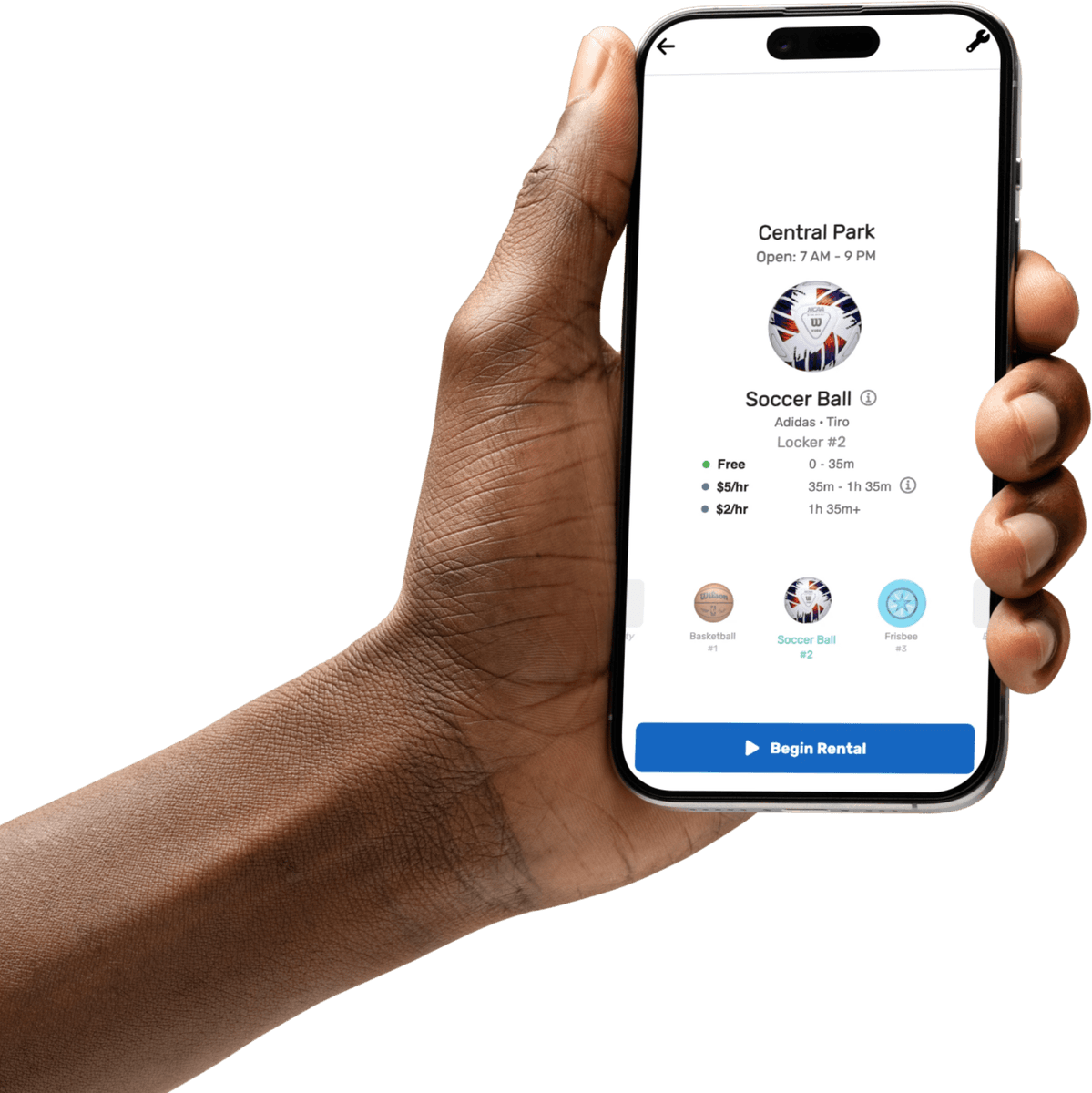
For players
Residents scan any QR code on the kiosk and land on your organization's kiosk page, with nothing to download. They accept 2play's terms and set up payment based on your settings, whether rentals are free, paid, or free for a set time and then hourly. Your organization's members get admin access in the same app, so your team can handle core operations right at the kiosk.

1Scan
Any QR code on the kiosk.

2Choose
Pick the gear and see the price.

3Play
A live scoreboard tracks the rental.

4Return
Snap a photo when it goes back.

5Review
Rate the gear and the kiosk.
For your team
PlayPortal is your team's dashboard. View rental and kiosk analytics, download usage reports, gather customer feedback, configure sponsorships, set rental pricing and free-play time, and put your logo and colors on the rental screens.
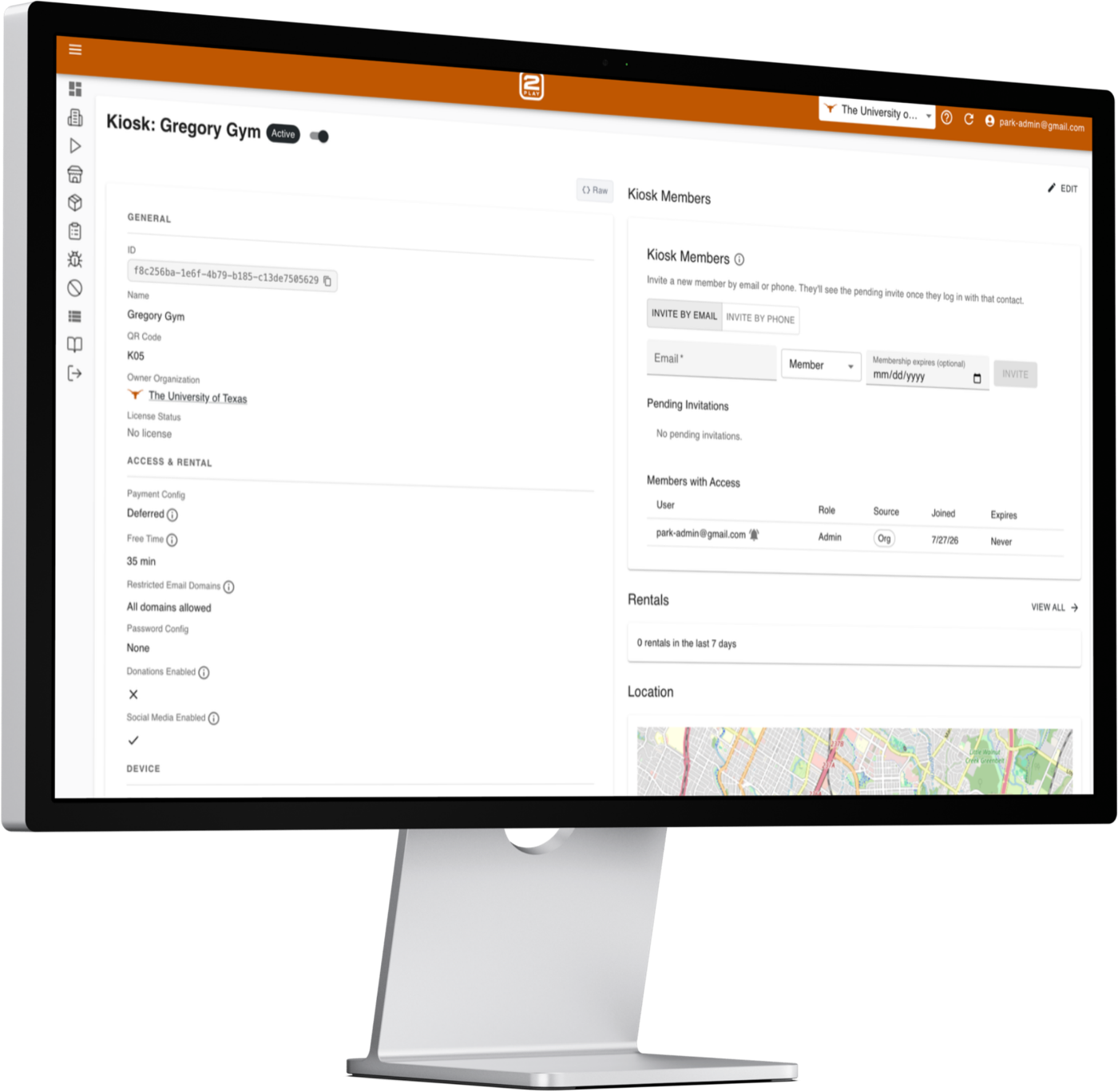
Manage every kiosk
Configure settings, watch live status, and open or lock lockers remotely from the PlayPortal web dashboard.
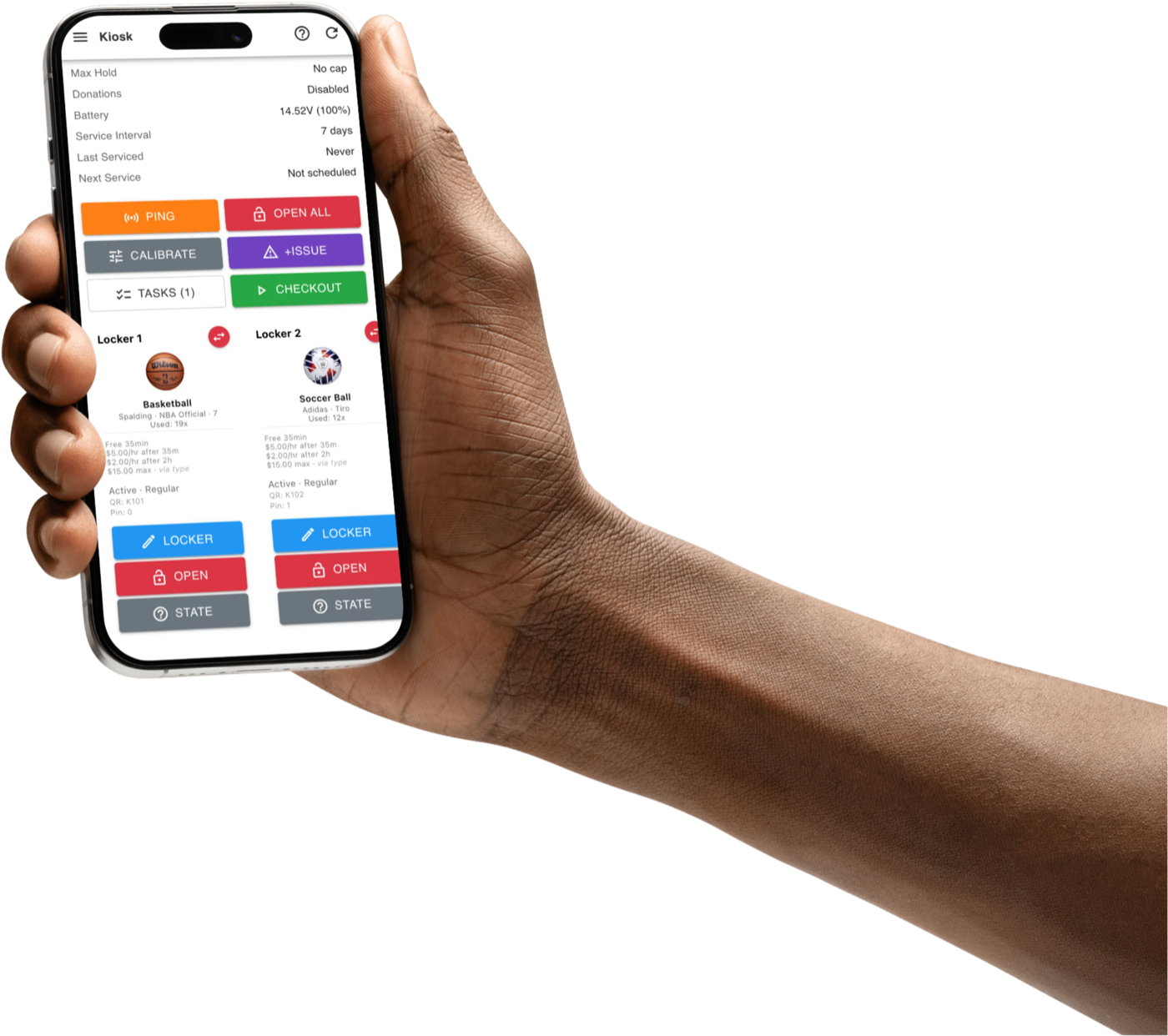
Control kiosks from your phone
Open lockers, disable a kiosk, and set operating or sleep hours without a laptop.

Get paid directly
Connect your bank in minutes with Stripe. Rental fees, lost-item charges and donations are paid out to you every month.

Bring your whole team
Invite members to your organization and give each the right role-based access, scoped per kiosk.
Data and analytics
See how every kiosk is used over the last 7, 30 or 90 days, and export the report in one click to share with partners, sponsors and other stakeholders.
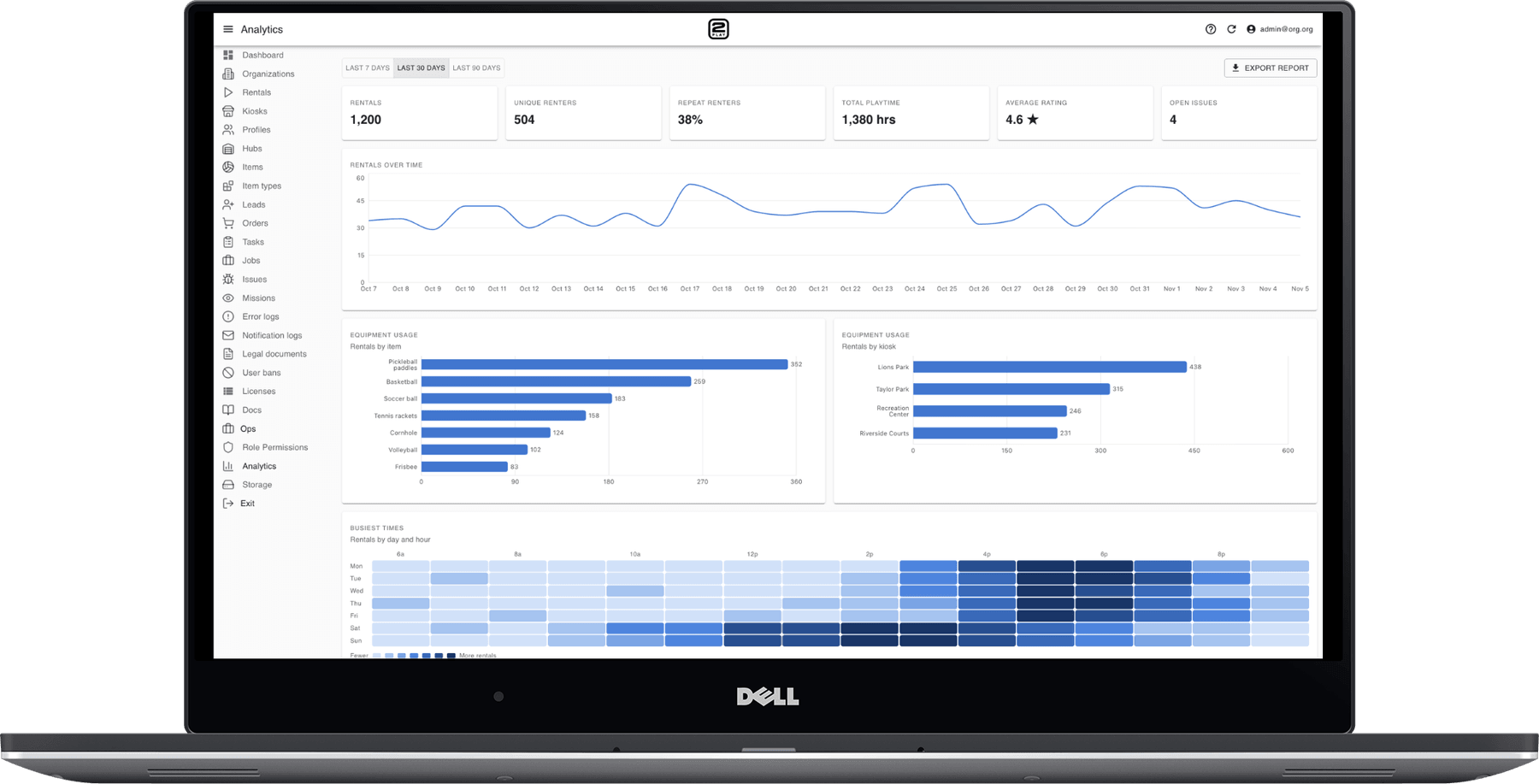
- Headline numbers
- Rentals, unique and repeat renters, total playtime, average rating and open issues.
- Equipment usage
- Rentals over time, by item and by kiosk, plus a heatmap of the busiest days and hours.
- User activity
- How often renters come back, from first-time to frequent users.
- User sentiment
- Star ratings, recent reviews and reported issues by type.
Also built in
- Smart alerts
- Notifications for restocking, maintenance and operational issues.
- Lost-gear reimbursement
- Unreturned equipment is tracked and charged automatically.
- Donation campaigns
- Run fundraising campaigns right in the rental app.