
8. Day-to-Day Operations
8.1 Tasks & Servicing
Tasks are actionable servicing items for field staff — restocking, retrieving an item, repairing a locker, swapping out a flat ball. Tasks show up in PlayPortal and in the Mobile Admin Panel. Field staff mark tasks complete from the Mobile Admin Panel.
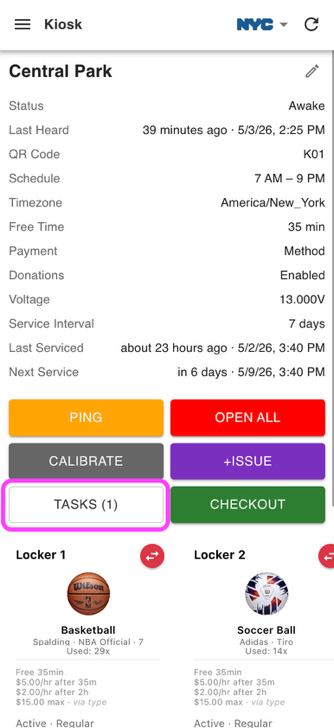
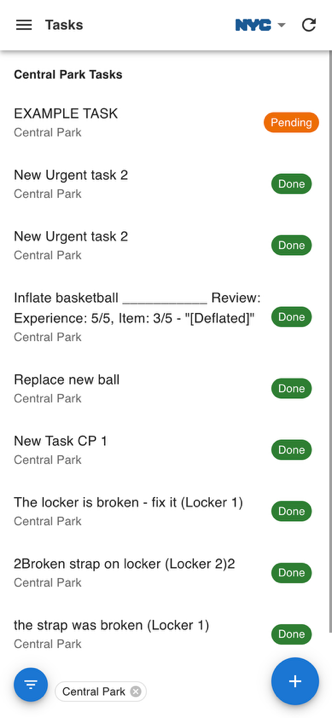
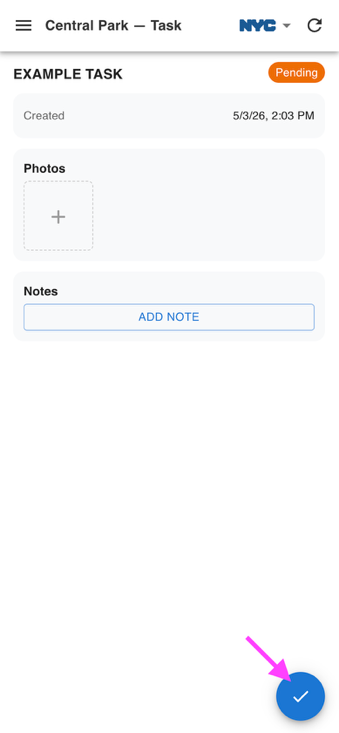
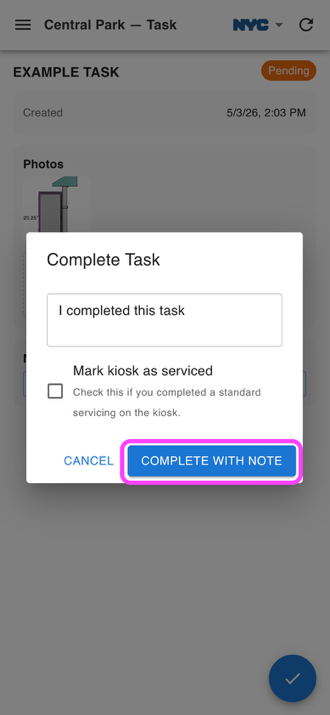
Tasks should be completed from the Mobile Admin Panel
Tasks are created in three ways:
- Automatically on a recurring service interval that you set per kiosk.
- Manually by anyone on your team.
- Manually by 2play, from user-reported issues. We often convert user feedback into actionable tasks — for example, "basketball in locker 2 is deflated, please fix" — so you can handle them on your next visit.
Recommended servicing cadence: visit each kiosk every 7 to 10 days. This is enough to catch most issues before they affect rentals, restock equipment, and clean the unit. Locations with heavy traffic may need more frequent visits.
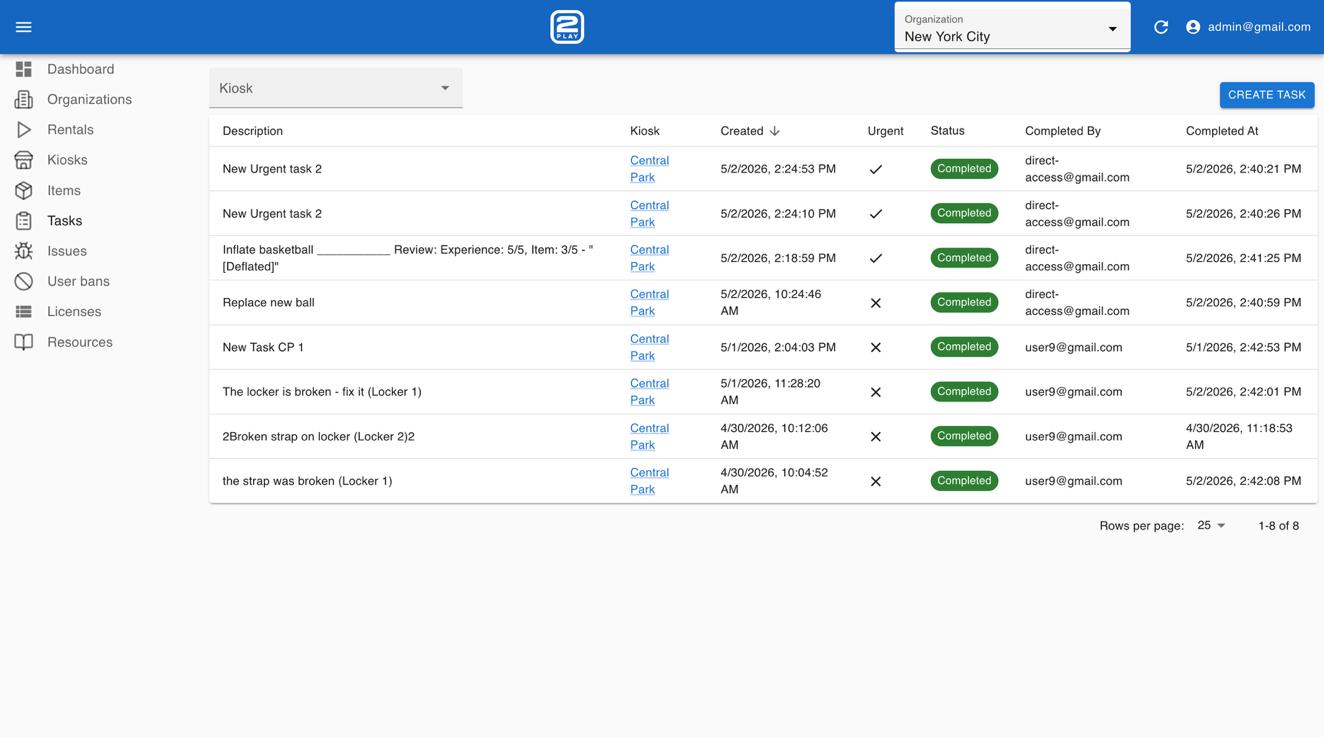
Tasks list in PlayPortal
8.2 Notifications & Alerts
Urgent task reminders are sent via email.
If you'd rather not receive task emails, you can disable service notifications from your admin dashboard and just check PlayPortal directly when it suits you.
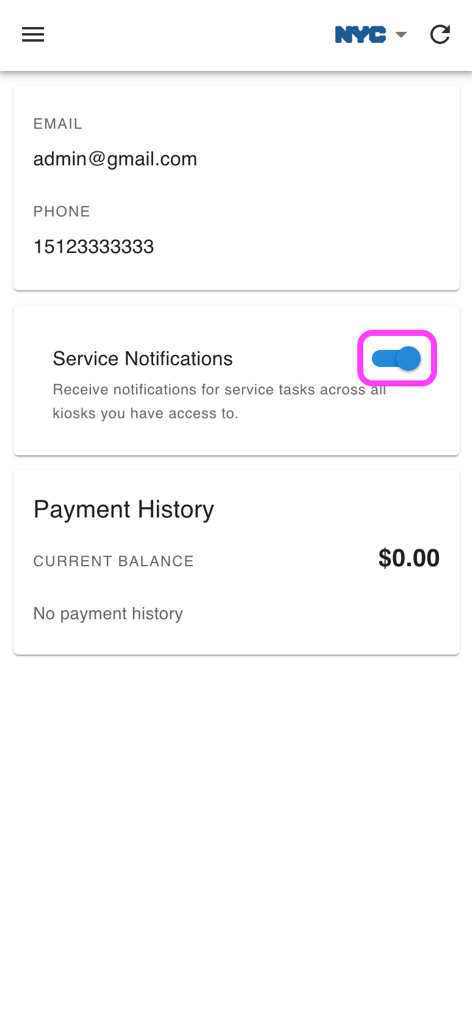
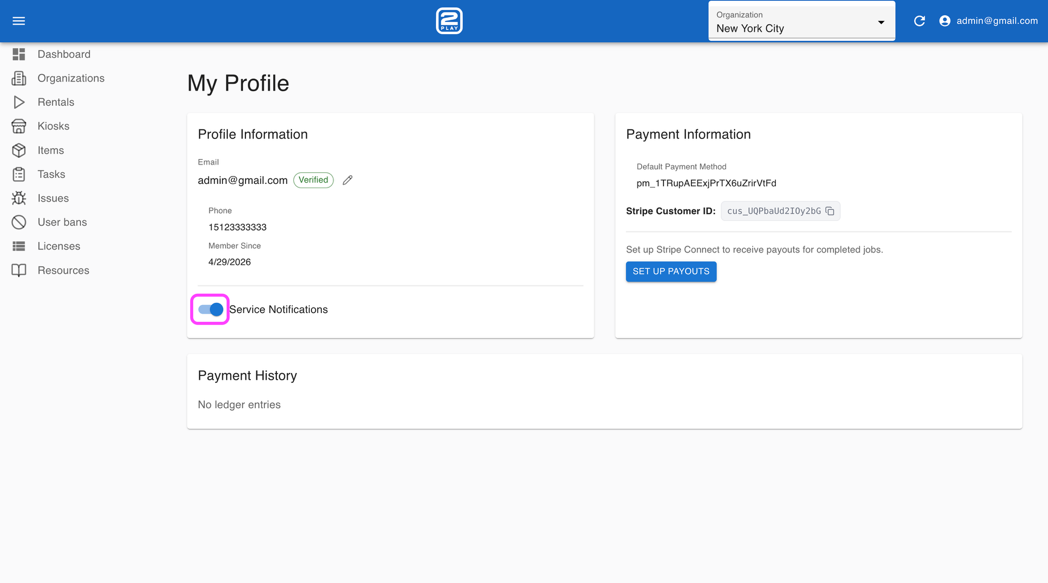
Notification settings (Mobile and Web)